How to Create YouTube Videos Using AI (Pictory + Synthesia Step-by-Step Guide for Beginners)
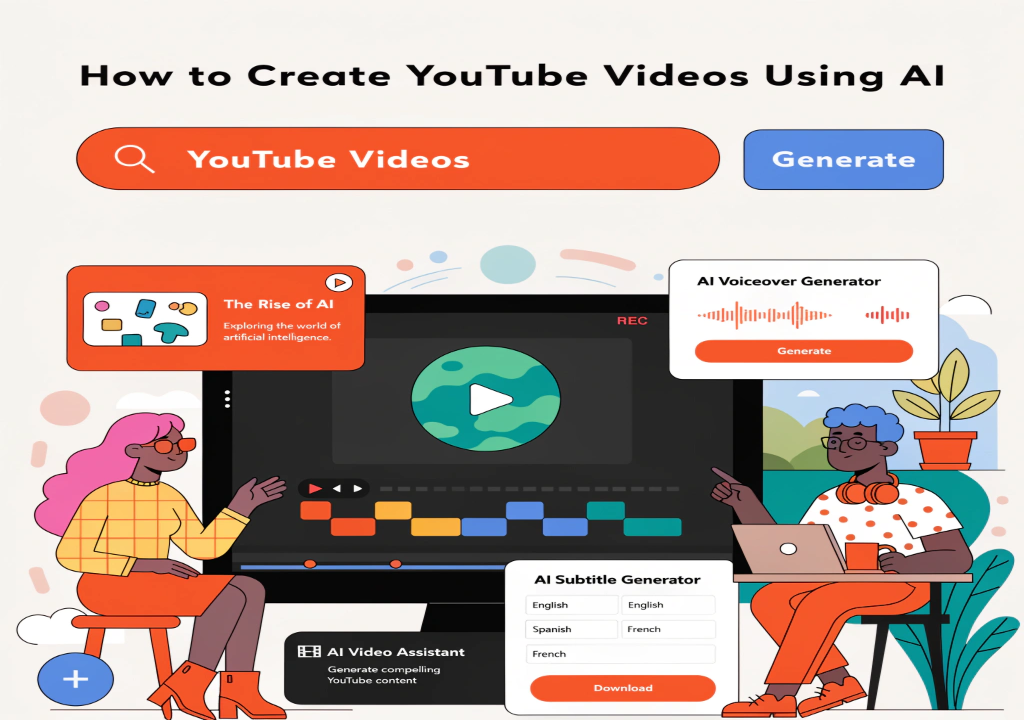
How to Create YouTube Videos Using AI (Pictory + Synthesia Step-by-Step Guide for Beginners)
Have you ever thought about starting a YouTube channel but felt held back because you don’t have a camera, editing skills, or enough time?
You’re not alone.
For many beginners, video creation feels complicated. Recording, editing, adding voiceovers — all of these steps can quickly become overwhelming. Even if you have good ideas, turning them into actual videos often feels like a difficult process.
But things are changing.
With the help of AI video tools like Pictory and Synthesia, creating videos has become much more simple and accessible. You no longer need advanced technical skills or expensive software to get started. In many cases, you can turn a simple idea or a short script into a complete video within minutes.
What makes this even more interesting is that you don’t have to appear on camera. You can create clean, professional-looking videos using text, visuals, or even AI-generated presenters.
In this guide, you will learn how AI video creation works, how to use tools like Pictory and Synthesia step-by-step, and how to create useful video content in a simple and practical way — even if you are just getting started.
🧩 What is AI Video Creation
AI video creation is a process where you use artificial intelligence to turn text, ideas, or simple scripts into complete videos. Instead of recording footage manually or editing everything from scratch, AI tools handle most of the work for you.
At a basic level, you provide input — such as a script, topic, or short description — and the AI generates visuals, voice, subtitles, and structure based on that input.
How It Works (Simple Explanation)
The process is easier than traditional video creation:
- You write a script or idea
- The AI breaks it into scenes
- It adds visuals and background elements
- It can generate voice narration or subtitles
Within a short time, you get a ready-to-use video that you can review and finalize.
Why It’s Becoming Popular
AI video creation is growing quickly because it removes many common barriers:
- No need for a camera or studio
- No advanced editing skills required
- Less time compared to traditional methods
This makes it especially useful for beginners who want to create content without going through a complex process.
What Makes It Beginner-Friendly
Traditional video creation often involves multiple steps like filming, editing, and audio work. AI simplifies these steps into a more guided process.
You don’t need to learn complicated software. Instead, you focus on:
- Your idea
- Your script
- Your content
The tool helps you turn that into a visual format.
Key Understanding
AI video creation is not about replacing creativity — it’s about simplifying the process.
You still decide:
- What the video is about
- How the message should be delivered
- What kind of content you want to create
The AI simply helps you execute your idea faster and more efficiently.
🧩 What You Can Do with AI Video Tools
Once you understand how AI video tools work, the next question is — what can you actually do with them?
Many beginners think AI video tools are only for making random clips, but in reality, they can be used in very practical and useful ways. The key is to focus on creating videos that serve a purpose, not just visuals.
Create YouTube Videos
You can use AI tools to create full YouTube videos without recording yourself.
For example:
- Educational videos
- Simple tutorials
- Topic-based explanations
You write a script, and the tool helps you turn it into a complete video with visuals and structure.
Make Faceless Content
Not everyone is comfortable being on camera, and that’s completely fine.
AI tools allow you to create:
- Voice-based videos
- Text-based visuals
- AI avatar presentations
This means you can build content without showing your face or using your own voice if you don’t want to.
Create Short Videos for Social Media
Short-form content is very popular right now.
You can create:
- Quick tips
- Short educational clips
- Simple informational videos
These can be used across different platforms and help you stay consistent with content.
Turn Existing Content into Video
If you already have written content, you can convert it into video format.
For example:
- Blog post → video
- Article → short clips
This helps you reuse your content and reach a wider audience.
Support Content Creation
Even if you are not creating videos regularly, AI tools can support your workflow.
You can use them to:
- Visualize ideas
- Explain concepts
- Improve presentation
Key Understanding
The goal is not just to create videos, but to create useful content that people can understand and benefit from.
When your videos are clear, simple, and helpful, they become more valuable — regardless of the tool you use.
🧩 Why AI Video Tools Are Useful
AI video tools are not just about convenience — they solve real problems that many beginners face when trying to create content. Understanding why these tools are useful will help you use them more effectively.
Saves Time
Creating videos manually can take hours. You need to record, edit, add visuals, and adjust everything step by step.
With AI tools, much of this process is simplified.
Instead of doing everything manually, you can:
- Write a script
- Generate the video
- Make small edits
This reduces the overall time needed to create content.
No Technical Skills Required
One of the biggest barriers for beginners is technical complexity.
Traditional video editing requires learning software, timelines, effects, and more. AI tools remove this barrier by guiding you through a simpler process.
You don’t need advanced skills — just a clear idea and a basic understanding of how the tool works.
Makes Content Creation Easier
When the process becomes easier, it becomes more consistent.
Instead of feeling overwhelmed, you can focus on:
- Your message
- Your content
- Your audience
This makes it easier to create videos regularly.
Helps Maintain Consistency
Consistency is important in content creation.
AI tools allow you to create videos more quickly, which helps you stay active without spending too much time on each video.
This is especially helpful if you are managing content alone.
Beginner-Friendly Approach
For someone just starting, AI tools provide a smoother entry point.
You don’t have to:
- Invest in equipment
- Learn complex editing
- Spend weeks practicing
You can start simple, improve gradually, and build confidence over time.
Important Balance
Even though AI tools make things easier, they still require your input.
You need to:
- Choose useful topics
- Write clear scripts
- Review the final output
The tool helps with execution, but your direction defines the quality.
Key Takeaway
AI video tools are useful because they reduce effort while increasing efficiency. They make video creation more accessible, especially for beginners who want to start without complications.
🧩 Practical Ways to Use AI Videos (Real & Useful)
After understanding how AI video tools work, the next important step is knowing how to use them in real situations. Many beginners create videos without a clear purpose, which often leads to content that doesn’t add much value.
Instead, it’s better to focus on practical uses where your videos can actually be helpful.
YouTube Content Creation
One of the most common uses of AI video tools is creating YouTube content.
You can create:
- Educational videos
- Topic-based explanations
- Simple tutorials
You don’t need to record yourself. With a clear script and structured content, you can create videos that are easy to understand and useful for viewers.
Social Media Content
AI videos can also be used for short-form content on social platforms.
You can create:
- Quick tips
- Informational clips
- Short educational content
This helps you stay consistent and keep your content active without spending too much time.
Basic Client Work
Some individuals and small businesses need simple video content but don’t have the time or skills to create it.
You can use AI tools to:
- Create short promotional videos
- Make informational content
- Prepare simple presentations
As a beginner, you can start with basic projects and improve over time.
Educational and Informational Videos
AI tools are very useful for explaining topics in a simple way.
You can create videos that:
- Break down complex ideas
- Share knowledge
- Help others understand a topic
This type of content builds trust and value over time.
Content Repurposing
If you already have written content, you can turn it into video format.
For example:
- Blog → video
- Article → short clips
This allows you to use the same content in different formats and reach more people.
Key Understanding
The goal is not just to create videos, but to create content that is clear, useful, and easy to understand.
When your videos serve a purpose — whether it’s education, explanation, or communication — they become more effective and valuable.
🧩 Tool 1 – Pictory (Complete Beginner Guide)
What is Pictory?
Pictory is an AI video creation tool that allows you to turn text into videos automatically. Instead of recording footage or editing clips manually, you can use a script or article, and the tool will generate a complete video with visuals, subtitles, and background elements.
It is especially useful for beginners because it removes many technical steps and focuses on simplicity.
What You Can Do with Pictory
With Pictory, you can create:
- Faceless YouTube videos
- Short informational videos
- Blog-to-video conversions
- Social media clips
This makes it a flexible tool for different types of content.
Step-by-Step: How to Use Pictory
Step 1: Start with Your Content
Prepare a short script or use an existing article.
Step 2: Upload or Paste the Script
Inside Pictory, choose the option to create a video from a script or article, then paste your content.
Step 3: Let AI Generate the Video
The tool will automatically:
- Break your content into scenes
- Add visuals
- Create subtitles
Step 4: Review and Adjust
Check if:
- Visuals match your content
- Text is clear
- Flow is smooth
You can replace visuals or edit text if needed.
Step 5: Add Final Touches
You can add:
- Background music
- Style adjustments
- Minor edits
Step 6: Export the Video
Once everything looks good, export your video and use it for your content.
Example Use Case
If you have a blog post about AI tools, you can paste it into Pictory and convert it into a video. This saves time and helps you reuse your content.
Common Beginner Mistakes
- Using long and complex scripts
- Not reviewing visuals
- Ignoring small errors
Always review before finalizing.
Pro Tips
- Keep your script simple
- Use short sentences
- Make sure visuals match your message
Why Pictory is Useful
Pictory simplifies video creation by turning written content into visual content. It allows beginners to create videos without needing advanced skills or tools.
🧩 Tool 2 – Synthesia (Complete Beginner Guide)
What is Synthesia?
Synthesia is an AI video creation tool that allows you to create videos using virtual presenters (AI avatars). Instead of recording yourself on camera, you can type your script, and the tool will generate a video where an AI presenter delivers your message.
This makes it a strong option for people who want a more “human-style” video without actually appearing on screen.
What You Can Do with Synthesia
With Synthesia, you can create:
- Presenter-style videos
- Educational content
- Business or informational videos
- Training or explanation videos
It is especially useful when you want your content to feel more structured and professional.
Step-by-Step: How to Use Synthesia
Step 1: Choose an AI Avatar
Select a virtual presenter that fits your content style.
Step 2: Add Your Script
Write or paste your script into the editor.
Step 3: Select Voice and Language
Choose the voice and language that matches your audience.
Step 4: Customize the Scene
You can adjust:
- Background
- Text on screen
- Layout
Step 5: Generate the Video
Once everything is set, generate the video.
Step 6: Review and Download
Watch the final result and download it if everything looks correct.
Example Use Case
If you want to explain a topic, you can write a simple script and let the AI presenter deliver it. This creates a more engaging experience compared to plain visuals.
Common Beginner Mistakes
- Writing overly long scripts
- Using complex sentences
- Not checking voice tone
Keep your script clear and natural.
Pro Tips
- Write conversational scripts
- Use short sentences
- Match the tone with your topic
Why Synthesia is Useful
Synthesia is helpful when you want to create videos that feel more personal without recording yourself. It bridges the gap between automation and human-style presentation.
🧩 Simple Workflow (From Idea to Video to Publish)
When you start using AI video tools, having a clear workflow makes a big difference. Without a structured process, it’s easy to create random videos that don’t have a clear purpose or direction.
A simple workflow helps you stay organized and produce better results consistently.
Step 1: Choose a Clear Idea
Start by deciding what your video will be about.
Ask yourself:
- What topic do I want to explain?
- Who is this video for?
- What value will it provide?
A clear idea makes every next step easier.
Step 2: Write a Simple Script
Before using any tool, write a short script.
Your script should:
- Be clear and easy to understand
- Use short sentences
- Follow a logical flow
You don’t need perfect writing — just focus on clarity.
Step 3: Create the Video
Now choose your tool:
- Use Pictory → for faceless, visual-based videos
- Use Synthesia → for presenter-style videos
Upload or paste your script and let the tool generate the video.
Step 4: Review and Improve
Never skip this step.
Check:
- Visual accuracy
- Text clarity
- Overall flow
Make small adjustments to improve quality.
Step 5: Finalize and Publish
Once your video is ready:
- Export it
- Add title and description
- Publish it on your platform
Make sure everything matches your original idea.
Why This Workflow Matters
Many beginners jump directly into tools without planning. This often leads to content that feels unorganized.
When you follow a simple process:
- Your content becomes clearer
- Your videos look more structured
- Your work becomes more consistent
Over time, this workflow becomes a habit that helps you create better videos more efficiently.
🧩 Best Video Ideas for Beginners
One of the biggest challenges for beginners is not knowing what type of videos to create. Even with the right tools, it can feel confusing if you don’t have clear ideas.
The good news is — you don’t need complicated or advanced concepts to get started. Simple, useful, and easy-to-understand videos often perform better, especially when you are just beginning.
1. Tutorial Videos
Tutorials are one of the easiest and most effective types of content.
You can create:
- Step-by-step guides
- “How to” videos
- Beginner-friendly explanations
Example:
“How to use AI tools for beginners”
These videos are helpful and easy for viewers to follow.
2. Educational Content
You can create videos that explain simple topics.
For example:
- Basic concepts
- Tool explanations
- Simple guides
This type of content builds trust and helps your audience understand things clearly.
3. AI Tools Content
Since you are working with AI tools, you can create videos about them.
Examples:
- Tool tutorials
- Tool comparisons
- Use-case explanations
This is useful because many people are searching for this type of content.
4. Short Informational Videos
Short videos can be used to share quick ideas.
You can create:
- Tips
- Quick explanations
- Small insights
These are easy to produce and help you stay consistent.
5. Topic-Based Videos
Choose a simple topic and explain it clearly.
For example:
- Productivity tips
- Online tools
- Beginner guides
Focus on clarity rather than complexity.
Key Tip
When choosing ideas, always think about usefulness.
Ask yourself:
👉 “Will this help someone understand something better?”
If the answer is yes, then it’s a good idea.
Starting with simple and helpful content is the best way to build confidence and improve over time.
🧩 Common Mistakes to Avoid
When beginners start creating videos using AI tools, they often make a few common mistakes that affect the quality of their content. These mistakes are easy to avoid once you are aware of them.
1. Skipping the Script
One of the biggest mistakes is starting without a script.
Without a script:
- Your video may feel unstructured
- Ideas may not flow properly
Even a short and simple script helps keep your content clear and organized.
2. Using Long and Complex Content
Some beginners try to include too much information in one video.
This can make the content:
- Hard to follow
- Confusing for viewers
It’s better to keep your content simple and focused on one topic.
3. Not Reviewing the Output
AI tools generate videos automatically, but that doesn’t mean they are perfect.
If you don’t review:
- Visuals may not match your content
- Text may need adjustments
Always check and improve before publishing.
4. Creating Videos Without Purpose
Another common mistake is creating videos without a clear goal.
This often leads to:
- Random content
- Low engagement
Before creating a video, ask:
👉 “What value does this provide?”
5. Ignoring Consistency
Uploading randomly or not maintaining a schedule can slow your progress.
Consistency helps you:
- Improve over time
- Build a content habit
- Stay organized
Key Takeaway
Avoiding these mistakes can make a big difference in your results.
Simple steps like writing a script, reviewing your video, and focusing on clear ideas can help you create better and more useful content.
🧩 Best Practices for Beginners
Creating videos with AI tools becomes much easier when you follow a few simple practices. These are not complicated rules — just practical habits that help you improve your content step by step.
1. Start with Simple Ideas
As a beginner, don’t try to create complex or advanced videos right away.
Start with:
- Basic topics
- Clear explanations
- Short scripts
Simple content is easier to create and easier for viewers to understand.
2. Keep Your Script Clear and Natural
Your script is the foundation of your video.
Try to:
- Use simple language
- Keep sentences short
- Maintain a natural flow
Avoid overcomplicating your message.
3. Focus on Value
Instead of trying to make your video look perfect, focus on making it useful.
Ask yourself:
- Does this help the viewer?
- Is the message clear?
Helpful content always performs better than complex content.
4. Review Before Publishing
Never skip the review step.
Check:
- Visual alignment
- Text clarity
- Overall flow
Small improvements can make a big difference.
5. Stay Consistent
Consistency is more important than perfection.
Try to:
- Create content regularly
- Improve gradually
- Learn from each video
This helps you build confidence and skill over time.
6. Keep Improving Your Process
As you gain experience, you will understand what works best.
You can:
- Improve your scripts
- Use better prompts
- Create more structured content
Progress comes from continuous improvement.
Key Takeaway
Good results come from simple and consistent effort. AI tools make video creation easier, but your approach determines how useful your content will be.
🧩 Limitations of AI Video Tools (Balanced View)
AI video tools make the process easier, but it’s important to understand that they are not perfect. Knowing their limitations helps you use them more effectively and avoid common problems.
1. AI Does Not Always Match Your Exact Idea
Sometimes the generated video may not fully match what you had in mind.
This can happen because:
- The script is unclear
- The visuals are automatically selected
You may need to adjust your content or make small edits to get better results.
2. Visuals May Not Always Be Perfect
AI tools automatically select visuals, but they may not always fit perfectly.
You might notice:
- Slightly unrelated clips
- Repetitive visuals
That’s why reviewing and replacing visuals is important.
3. Requires Editing and Review
Even though AI generates the video, it still needs human review.
You should always:
- Check the flow
- Adjust text if needed
- Improve the final output
This ensures better quality.
4. Limited Creative Control (in Some Cases)
AI tools simplify the process, but sometimes that means fewer manual controls.
For beginners, this is helpful — but for advanced customization, it may feel limited.
5. Not a Replacement for Creativity
AI tools assist you, but they don’t replace your thinking.
Your role is to:
- Choose the idea
- Write the script
- Guide the content
The tool helps you execute, but the direction comes from you.
Key Takeaway
AI video tools are powerful, but they work best when combined with human input. Understanding their limitations helps you create better, more accurate, and more useful content.
🧩 Final Thoughts
AI video tools have made it much easier for beginners to start creating content without needing advanced skills or expensive equipment. What once felt complicated and time-consuming can now be simplified into a more manageable process.
However, the real value of these tools comes from how you use them.
If you focus only on automation, the results may feel average. But if you use AI as a support tool — to organize your ideas, build structure, and save time — it can become a very effective part of your workflow.
The best approach is to start simple. Choose a clear topic, write a short script, and use the tool to bring your idea to life. As you continue practicing, you will become more comfortable with the process and start creating better-quality videos.
Consistency also plays an important role. You don’t need to create perfect videos at the beginning. What matters is that you keep improving and refining your approach over time.
In the end, AI video tools are not just about creating videos faster — they are about making the entire content creation process more accessible and easier to manage.
🧩 Quick Recommendation
If you are just starting out, choosing the right tool can make your workflow much easier. Both Pictory and Synthesia are powerful, but they are designed for slightly different types of video creation.
When to Use Pictory
Pictory is best when you want to create faceless, visual-based videos.
Use Pictory if you:
- Want to turn articles or scripts into videos
- Prefer simple visuals with text and subtitles
- Need quick content for YouTube or social media
It works well for beginners who want a straightforward and automated process.
When to Use Synthesia
Synthesia is better when you want a presenter-style video.
Use Synthesia if you:
- Want an AI avatar to present your content
- Prefer a more structured and professional format
- Need videos for explanations, training, or presentations
It is useful when you want your content to feel more “human” without recording yourself.
Best Approach for Beginners
You don’t need to choose only one tool.
A simple approach can be:
- Use Pictory for visual and faceless content
- Use Synthesia for structured, presenter-style videos
This gives you flexibility depending on the type of content you want to create.
Final Tip
Start with one tool, understand how it works, and then gradually explore the other. The goal is not to use many tools, but to use them effectively.
When you focus on clarity, usefulness, and consistency, both tools can support your video creation process in a practical way.